PROMPT RECORD · 公开作品详情
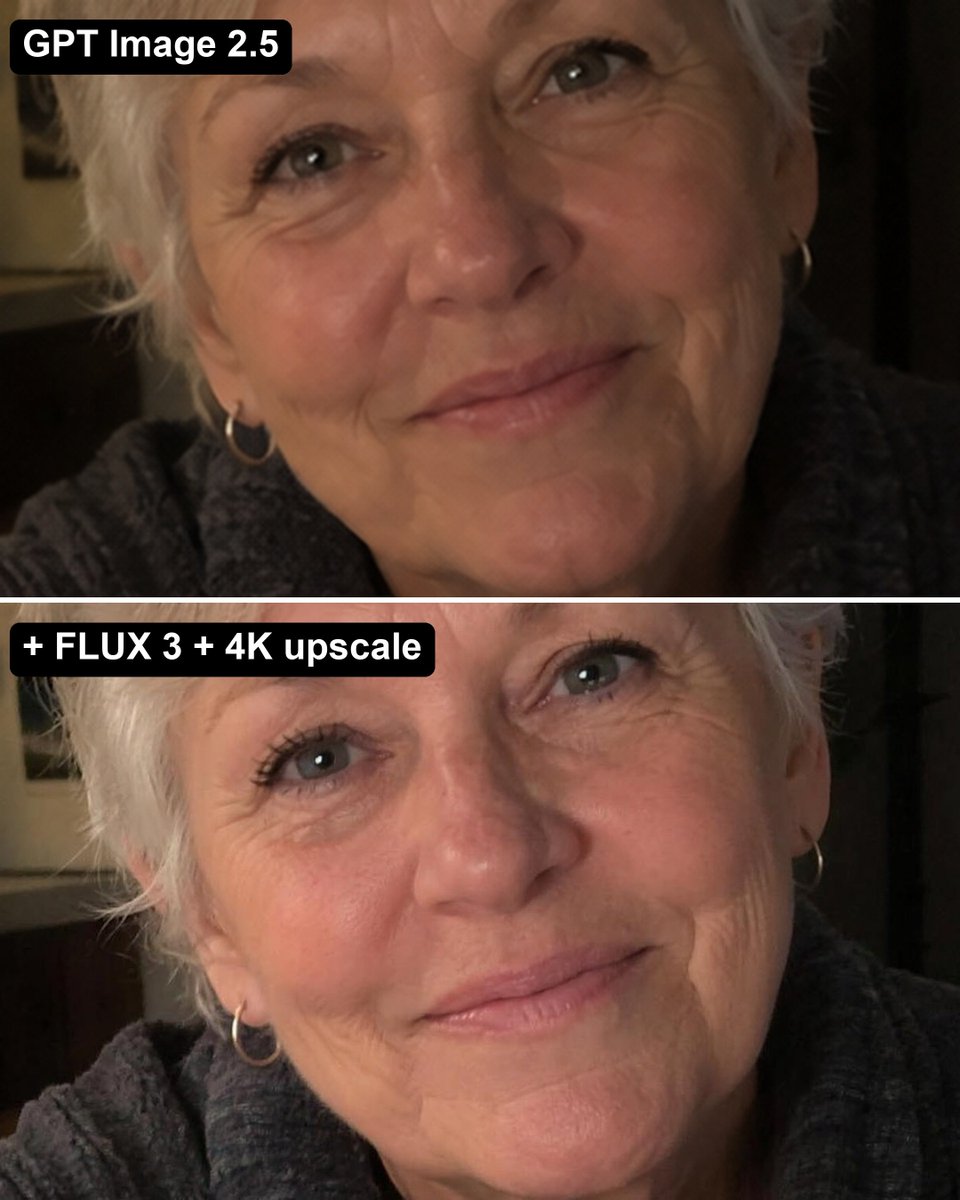
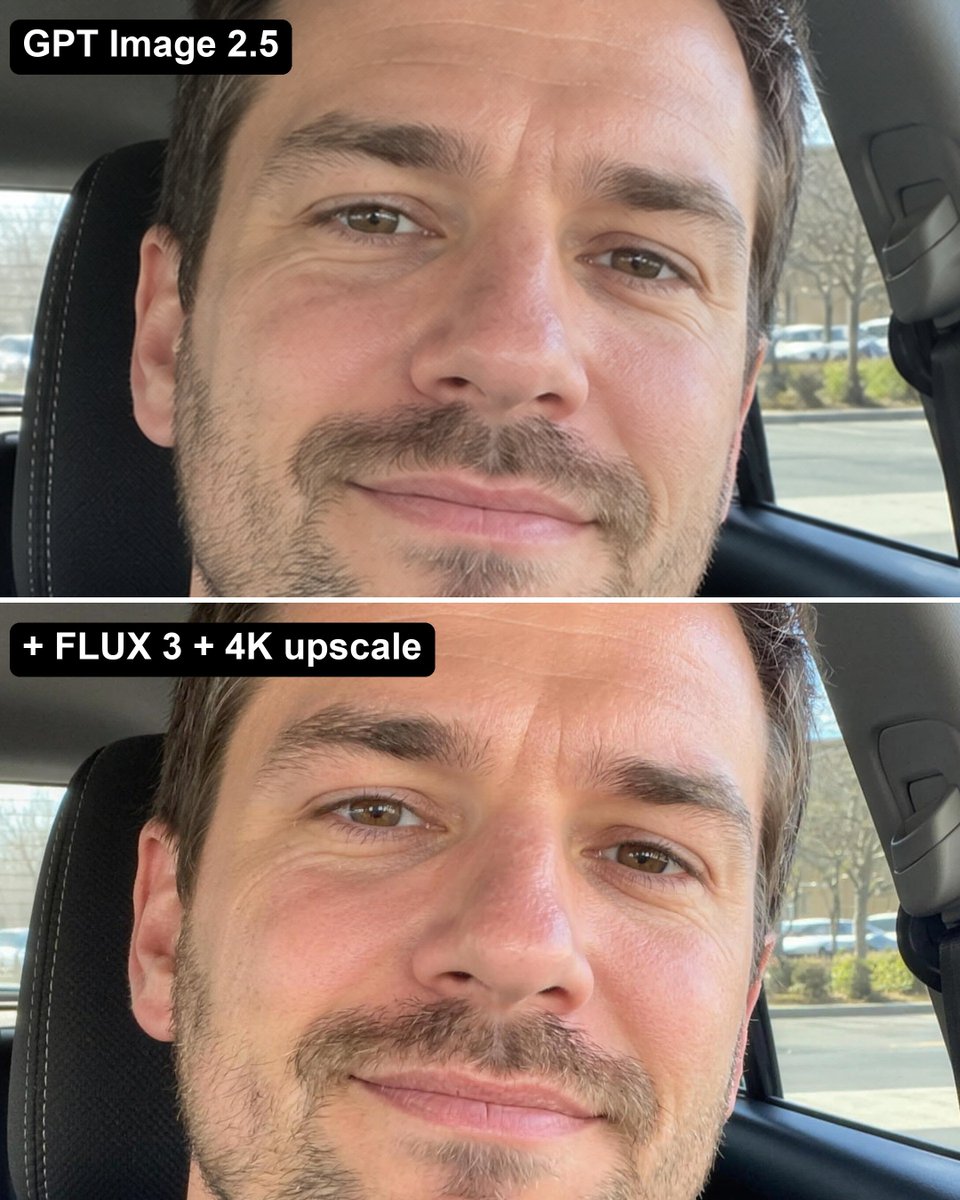
无论你如何向 GPT Image 2.5 提示,生成的人物总是带着那种同样的、像蜡像或黏土一样的 AI 皮肤质感。
公开 AI 图像创作记录,包含原图、提示词、使用模型、作者、标签与来源。
- 使用模型
- GPT-Image-2.5
- 创作者
- @ecomwagyu
- 发布时间
- Sat Oct 03 14:06:55 +0000 2026
- 图片数量
- 2 张
完整提示词
源提示词按原始换行与标点完整保留No matter how you prompt GPT Image 2.5, people come out with that same waxy, clay-like AI skin. Here's how to fix it... 1. Generate the image in GPT 2.5 like normal (it's still the best at composition & following your prompt) 2. Run it through FLUX 3 with the GPT image as reference: "Recreate this exact photo as a real unretouched iPhone photo: same person, same face, same hair, same clothes, same pose, same framing and light. Real skin pores, fine lines, natural colour, slight sensor grain. No text." 3. Upscale it to 4K with Bytedance Upscale Now it looks like an actual photo.
提示词译文
译文与源提示词分开显示,不替代原文无论你如何向 GPT Image 2.5 提示,生成的人物总是带着那种同样的、像蜡像或黏土一样的 AI 皮肤质感。 下面是如何修复这个问题…… 1. 像平常一样在 GPT 2.5 中生成图像 (它在构图和遵循提示方面仍然是最强的) 2. 把生成的图像作为参考图,输入到 FLUX 3 中运行: "Recreate this exact photo as a real unretouched iPhone photo: same person, same face, same hair, same clothes, same pose, same framing and light. Real skin pores, fine lines, natural colour, slight sensor grain. No text." 3. 使用 Bytedance Upscale 将图像放大到 4K 这样它看起来就像一张真实的照片了。