PROMPT RECORD · 公开作品详情
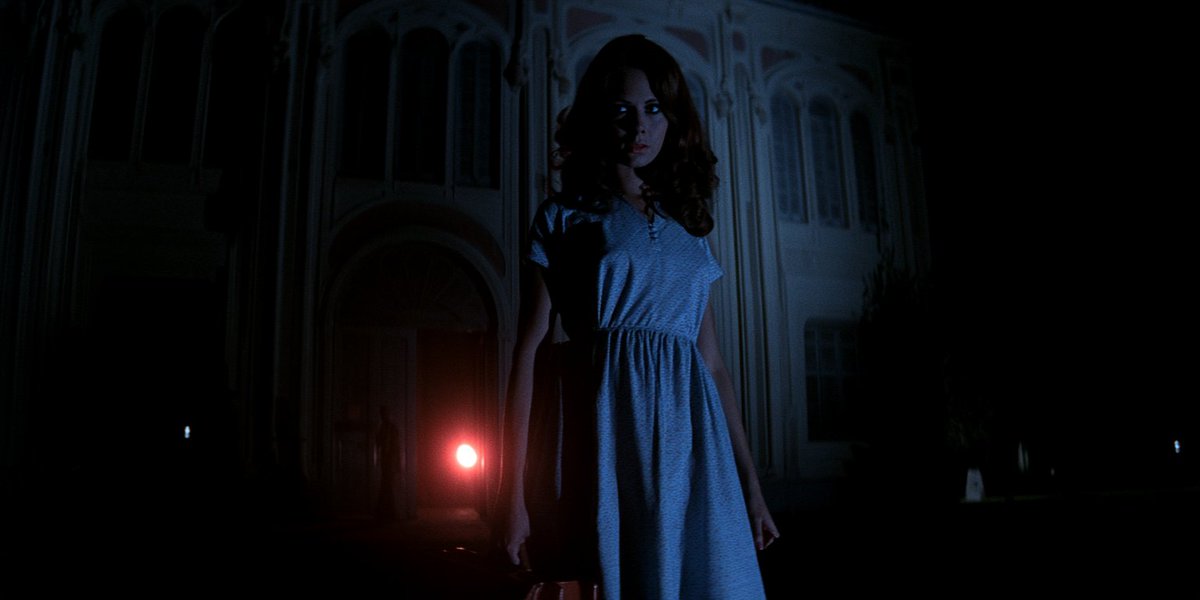
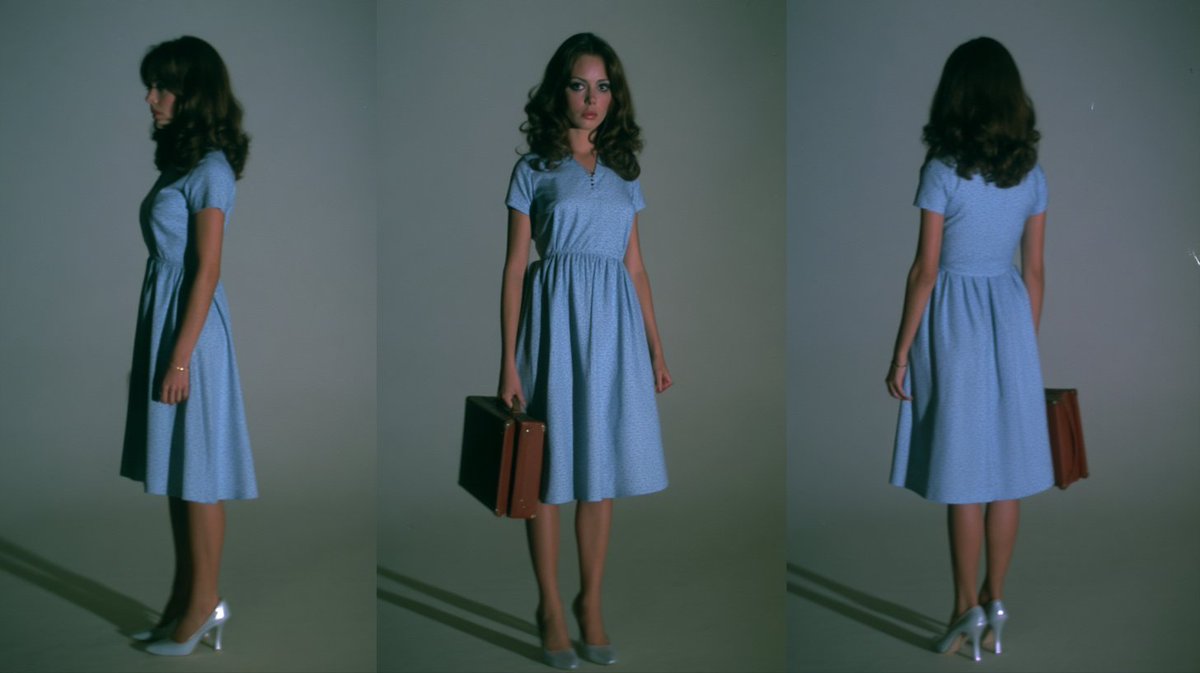
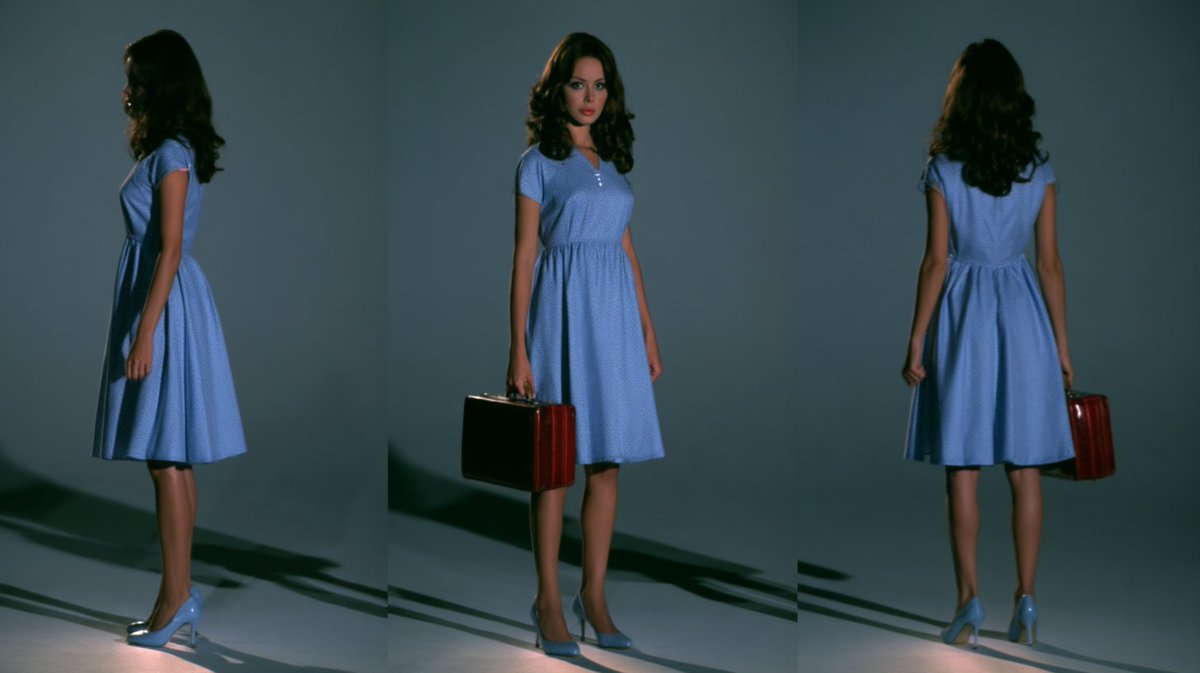
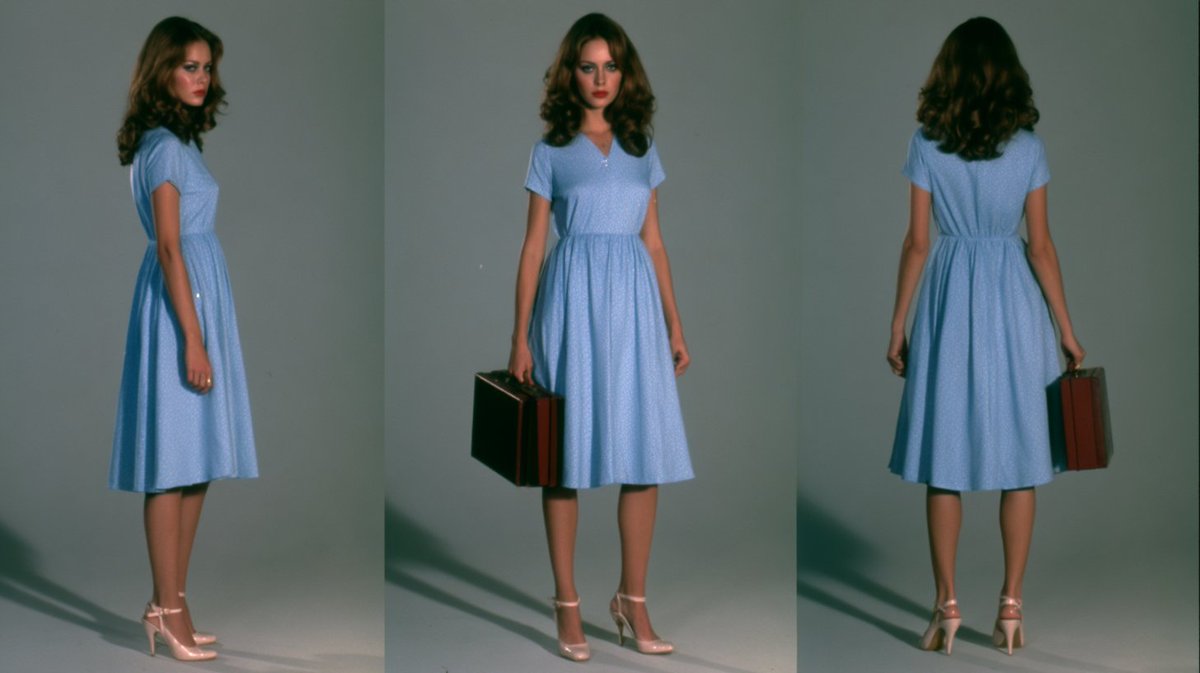
Midjourney 角色设定表方法:从你的 Create(创建)标签页中将一张图片拖到提示栏,并放入 Add to Prompt(添加到提示…
公开 AI 图像创作记录,包含原图、提示词、使用模型、作者、标签与来源。
- 使用模型
- Midjourney
- 创作者
- @ChrisGwinnLA
- 发布时间
- Wed Sep 02 16:03:31 +0000 2026
- 图片数量
- 4 张
完整提示词
源提示词按原始换行与标点完整保留Midjourney characater sheet method: drag an image from your Create tab into the prompt bar and drop it into Add to Prompt. If you used a specific style, profile, and moodboard, you might want to add them to the prompt to maintain the aesthetic (or choose a totally new to change things up!). Then enter a prompt along these lines (play around with order and wording): "studio photograph, create a character sheet of the woman - full form (head to feet), three angles (front, profile, rear), standing against a neutral gray background with soft lighting, detailed textures, natural skin tone and skin texture, it looks like a real photo, she's wearing a 1970s blue dress and heels" As you can see, the style, moodboard and profile I used to create the original has a very soft, vintage film look with some blur - that gets fixed by running it through a creative upscaler and prompting once again for "detailed textures, natural skin tone and skin texture, it looks like a real photo" (and you might want to tell it to maintain face details).
提示词译文
译文与源提示词分开显示,不替代原文Midjourney 角色设定表方法:从你的 Create(创建)标签页中将一张图片拖到提示栏,并放入 Add to Prompt(添加到提示)。如果你使用了特定的 style(风格)、profile(档案)和 moodboard(情绪板),你可能需要将它们添加到提示中以保持美学一致性(或者选择一个全新的来改变风格!)。然后输入类似以下内容的提示(可以尝试调整顺序和措辞): "studio photograph, create a character sheet of the woman - full form (head to feet), three angles (front, profile, rear), standing against a neutral gray background with soft lighting, detailed textures, natural skin tone and skin texture, it looks like a real photo, she's wearing a 1970s blue dress and heels" 如你所见,我用于创建原图的 style(风格)、moodboard(情绪板)和 profile(档案)具有非常柔和的复古胶片风格,并带有一些模糊感——可以通过使用 creative upscaler(创意放大器)进行处理,并再次提示 "detailed textures, natural skin tone and skin texture, it looks like a real photo" 来修复(你可能还想告诉它保持面部细节)。