PROMPT RECORD · 公开作品详情
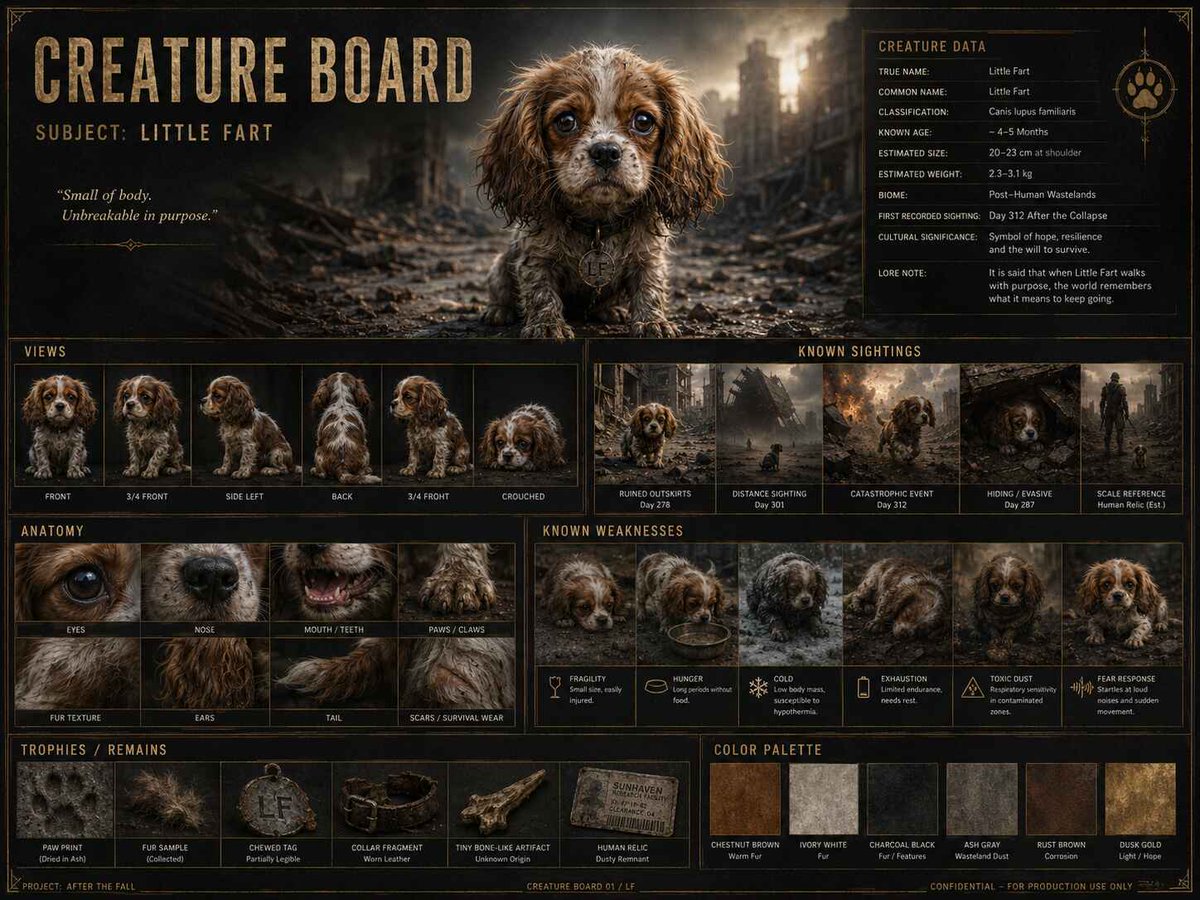
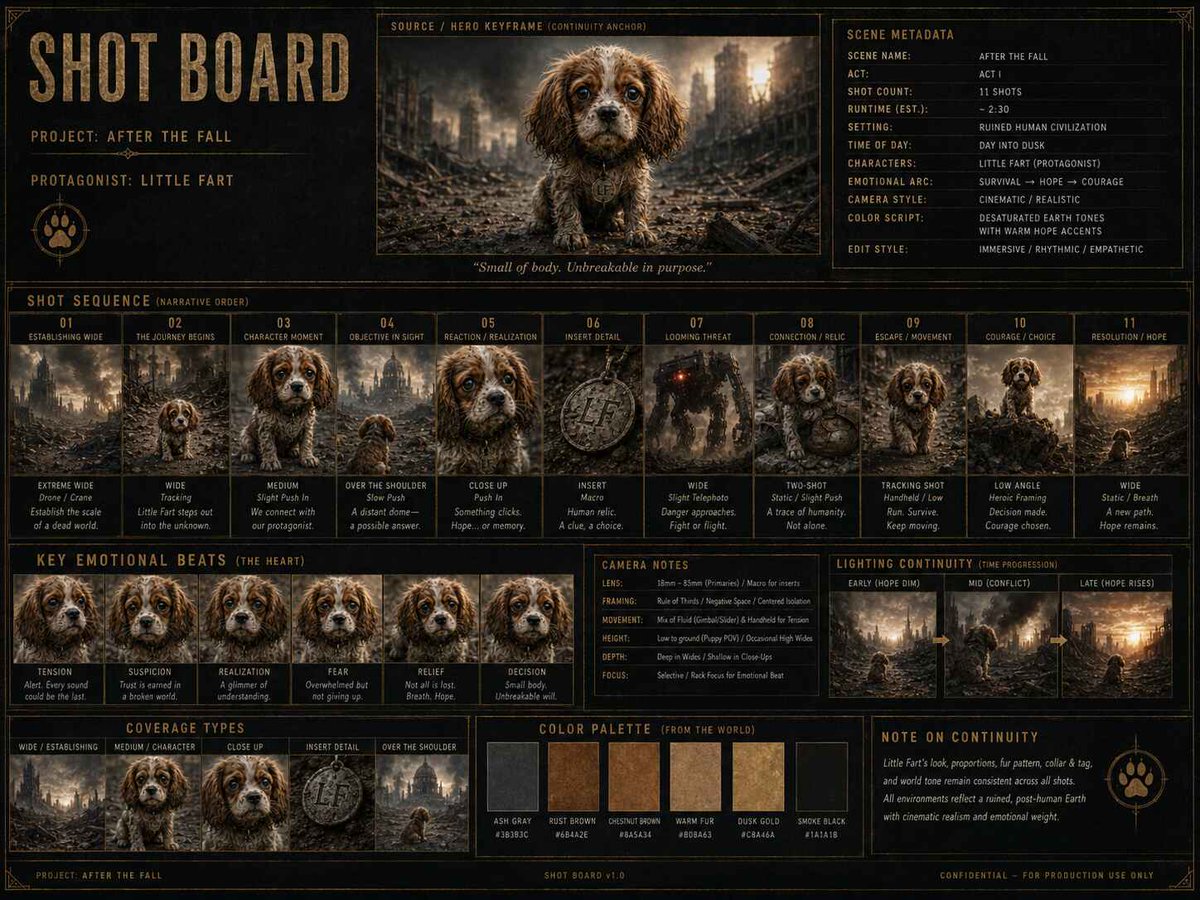
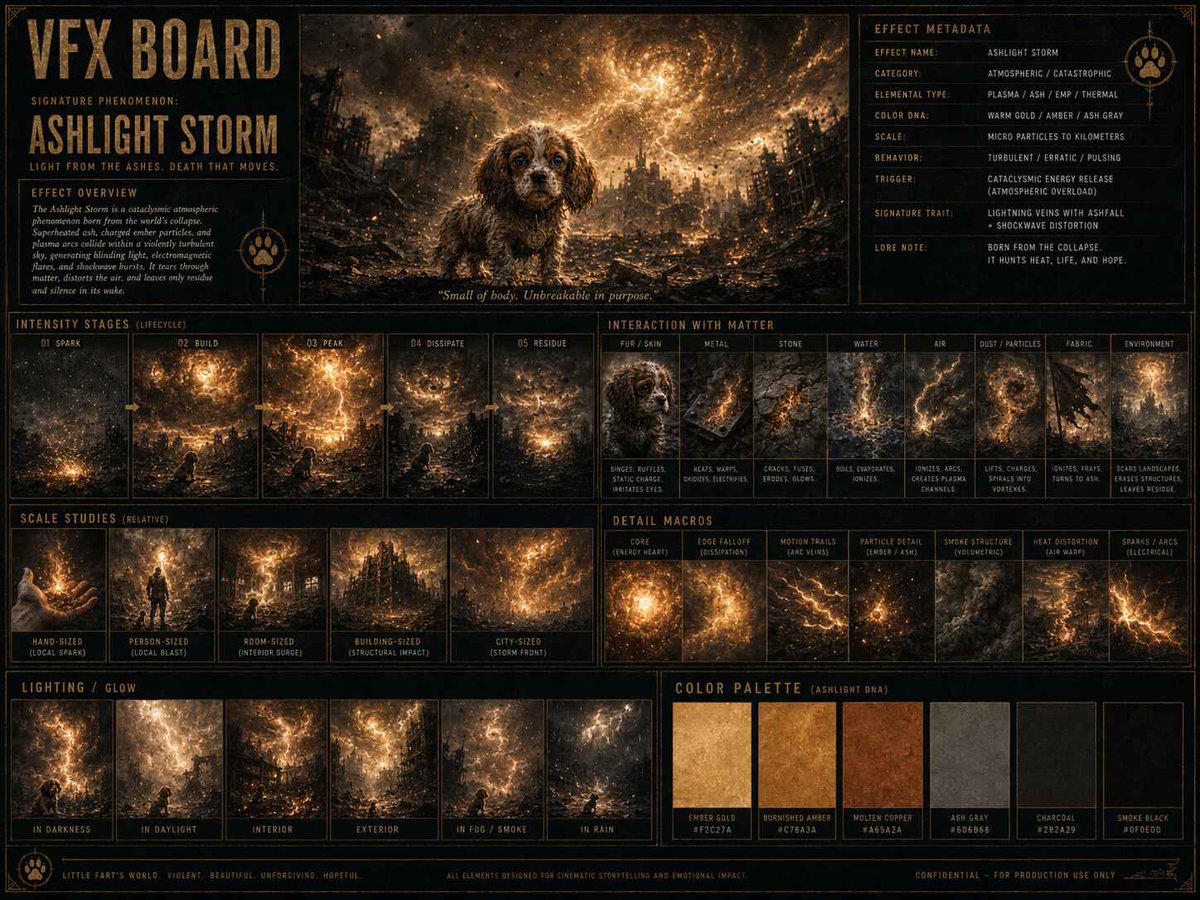
, 我用 GPT Image 2 制作了至少三块参考板,具体包括:CREATURE(角色)、SHOT(镜头)以及 VFX(特效)板。
公开 AI 图像创作记录,包含原图、提示词、使用模型、作者、标签与来源。
- 使用模型
- GPT-Image-2
- 创作者
- @alex_bagnuoli89
- 发布时间
- Tue Jun 16 15:39:41 +0000 2026
- 图片数量
- 3 张
完整提示词
源提示词按原始换行与标点完整保留, I’ve created no fewer than three boards for reference (with GPT Image 2), specifically: CREATURE, SHOT ed VFX board. I then created the video using Seedance 2.0. It’s 15 seconds long. And I used this simple prompt: Synopsys: (before). Use IMG_1 to develop “Litte Fart” as the main character: silhouette, facial expressions, proportions, fur texture, scale comparisons, heroic poses and moments of vulnerability. Use IMG_2 to construct a narrative sequence for a trailer: a desolate world, the protagonist’s journey, disasters, the final decision, emotional tone and climax. Use IMG_3 to visualise catastrophic events: storms, ruins, environmental anomalies, destructive energy, dust, flames, debris and atmospheric light. And here’s the result! What do you think? I’d say it’s simple and straightforward. 😎 So what are you waiting for? Give DZINE a go -> https://t.co/2SkGAVS4zL #AIVideo #dzine_ai #seedance2 #generativeai
提示词译文
译文与源提示词分开显示,不替代原文, 我用 GPT Image 2 制作了至少三块参考板,具体包括:CREATURE(角色)、SHOT(镜头)以及 VFX(特效)板。 随后,我使用 Seedance 2.0 生成了这段视频,时长 15 秒。我用了下面这段简洁的提示词: Synopsys(创作概要):(之前已完成)。 使用 IMG_1 塑造主角 "Litte Fart":轮廓、面部表情、比例、毛发质感、尺度对比、英雄姿态以及脆弱瞬间。 使用 IMG_2 为预告片构建叙事序列:荒芜的世界、主角的征程、灾难、最终抉择、情感基调与高潮。 使用 IMG_3 表现灾难性事件:风暴、废墟、环境异象、毁灭性能量、尘埃、烈焰、碎片以及氛围光。 成品如下!大家觉得如何?我觉得它简洁明了。😎 还在等什么?快来试试 DZINE 吧 -> https://t.co/2SkGAVS4zL #AIVideo #dzine_ai #seedance2 #generativeai