PROMPT RECORD · 公开作品详情
把任何穿搭参考变成可重复使用的时尚海报提示 ✨
公开 AI 图像创作记录,包含原图、提示词、使用模型、作者、标签与来源。
- 使用模型
- GPT-Image-2
- 创作者
- @gpt_image_2
- 发布时间
- Tue Jun 02 13:53:59 +0000 2026
- 图片数量
- 2 张
完整提示词
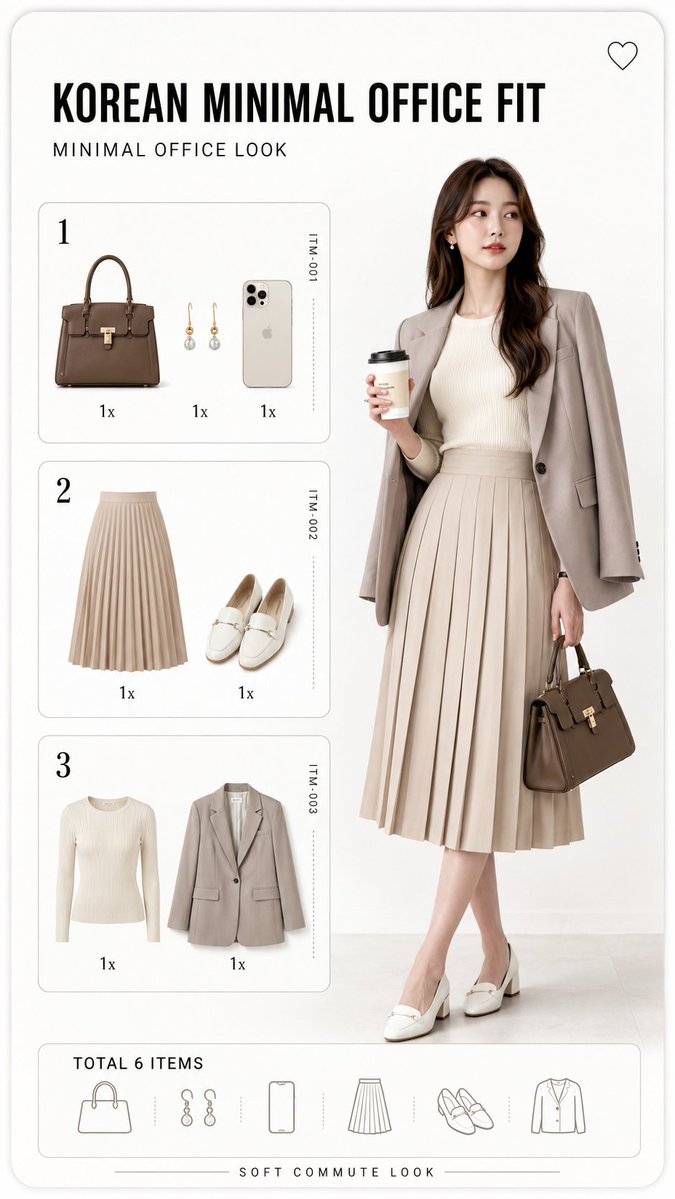
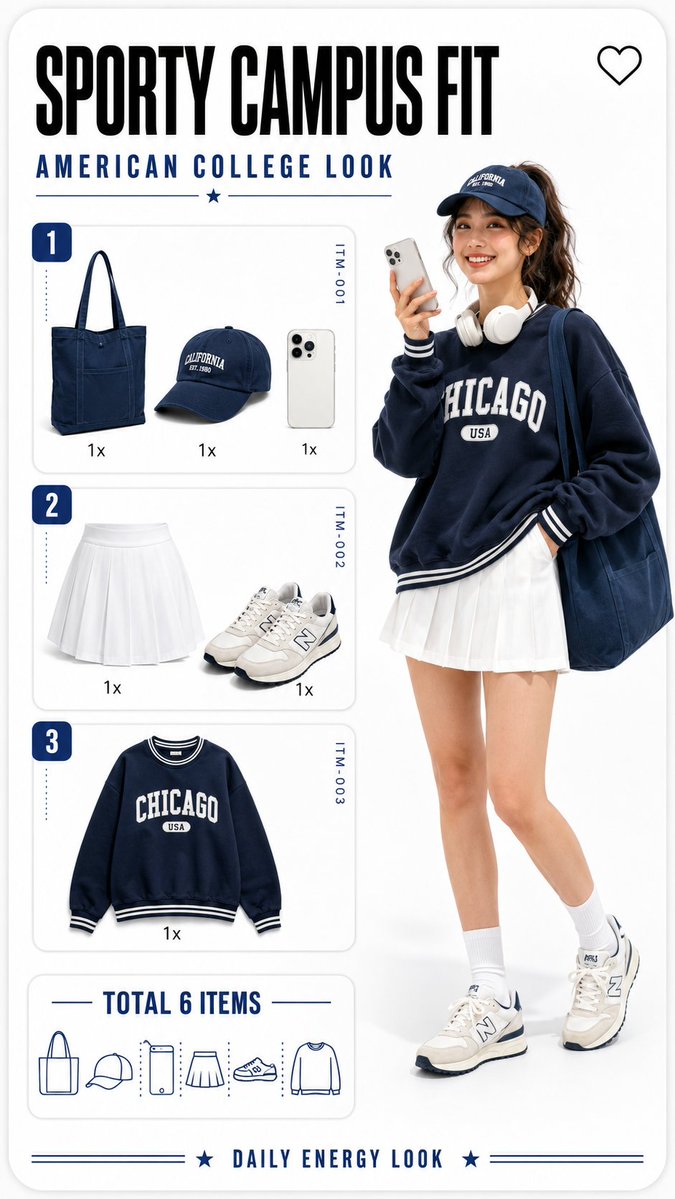
源提示词按原始换行与标点完整保留Turn any outfit reference into a reusable fashion poster prompt ✨ I broke down this Korean-style lookbook layout into a GPT Image 2 prompt template — with variables for text language, title, outfit items, model styling, checklist panels, and captions. Copy the structure, swap the variables, and build your own fashion prompt series 👇 ``` Create a vertical 9:16 fashion outfit breakdown poster in a clean Korean Y2K lookbook style. Design the image as a rounded-corner mobile fashion card on a bright white studio background. Use a minimal editorial layout with lots of negative space, soft gray panel borders, subtle shadows, crisp typography, pastel colors, and a polished fashion app UI feeling. Important text rule: All visible text in the image must be rendered in [TEXT_LANGUAGE], including the main title, subtitle, panel labels, quantity labels, total item label, and bottom caption. Use the exact following text: - Main title: "[MAIN_TITLE]" - Subtitle: "[SUB_TITLE]" - Bottom caption: "[BOTTOM_CAPTION]" - Total label: "[TOTAL_LABEL]" Top area: Add a bold main title in large typography, with the subtitle underneath in smaller clean uppercase or matching style depending on the language. Add a small outline heart icon in the top-right corner. Right side: Show a full-body adult female fashion model, early 20s, non-sexualized, cute confident pose, standing in soft studio lighting. She is holding a smartphone as if taking a selfie. Outfit: [OUTFIT_DESCRIPTION]. Keep the model realistic but slightly glossy and doll-like, like a premium digital fashion catalog. Left side: Create three stacked outfit checklist panels labeled “1”, “2”, and “3”. Panel 1 shows: [PANEL_1_ITEMS]. Panel 2 shows: [PANEL_2_ITEMS]. Panel 3 shows: [PANEL_3_ITEMS]. Each item should appear as an isolated product icon with a quantity label such as “1x”. Add tiny vertical item codes on the right side of each panel, like a fashion inventory card. Bottom-left area: Add the total item summary using “[TOTAL_LABEL]”, with small minimalist line icons representing all outfit items. Overall visual direction: playful fashion infographic, product flat-lay icons plus full-body model, white background, clean commercial poster composition, high-resolution, sharp details, legible text, no real brand logos, no watermark, no extra characters, no messy background. ```
提示词译文
译文与源提示词分开显示,不替代原文把任何穿搭参考变成可重复使用的时尚海报提示 ✨ 我把这个韩系穿搭画册版式拆解成了一个 GPT Image 2 提示词模板 —— 带有文字语言、标题、穿搭单品、模特造型、清单面板和说明文字的变量。 复制结构,替换变量,就能打造你自己的时尚提示词系列 👇 ``` 创建一个竖版 9:16 的时尚穿搭拆解海报,采用干净的韩系 Y2K 画册风格。 把图像设计成亮白摄影棚背景上的一个圆角移动端时尚卡片。使用极简的编辑式版式,留有大量负空间,搭配柔和的灰色面板边框、细腻的阴影、清晰的字体、粉彩色调,以及精致的时尚 App UI 质感。 文字重要规则: 图像中所有可见文字都必须以 [TEXT_LANGUAGE] 呈现,包括主标题、副标题、面板标签、数量标签、总件数标签和底部说明文字。 请使用以下确切文字: - 主标题:"[MAIN_TITLE]" - 副标题:"[SUB_TITLE]" - 底部说明文字:"[BOTTOM_CAPTION]" - 总件数标签:"[TOTAL_LABEL]" 顶部区域: 添加一个粗体的大字号主标题,副标题置于其下方,字号较小、风格干净(全大写或根据语言匹配风格)。在右上角添加一个小号描边爱心图标。 右侧: 展示一位全身成年女性时尚模特,20 岁出头,非性感化、可爱自信的站姿,在柔和的摄影棚灯光下。她手握一部智能手机,像是在自拍。 穿搭:[OUTFIT_DESCRIPTION]。 模特保持写实但略带光泽和娃娃感,像高端的数字时尚目录。 左侧: 创建三个上下堆叠的穿搭清单面板,分别标注 “1”、“2”和 “3”。 面板 1 显示:[PANEL_1_ITEMS]。 面板 2 显示:[PANEL_2_ITEMS]。 面板 3 显示:[PANEL_3_ITEMS]。 每个单品应以独立的产品图标呈现,并搭配诸如 “1x” 之类的数量标签。 在每个面板的右侧添加细小的竖向单品编号,像一张时尚库存卡。 左下区域: 使用 “[TOTAL_LABEL]” 添加总件数概览,搭配小巧极简的线条图标,代表所有穿搭单品。 整体视觉方向: 俏皮的时尚信息图风格,产品平铺图标搭配全身模特,白色背景,干净的商用海报构图,高分辨率,细节锐利,文字清晰可辨,无真实品牌 Logo,无水印,无多余人物,背景干净不杂乱。 ```