PROMPT RECORD · 公开作品详情
角色对着镜头说话。对话:"你不相信我?我告诉过你,(叹气)这张图片就是第一帧。(停顿)去看看那个帖子,拜托"
公开 AI 图像创作记录,包含原图、提示词、使用模型、作者、标签与来源。
- 使用模型
- None
- 创作者
- @voxelplot
- 发布时间
- Tue Apr 14 10:38:51 +0000 2026
- 图片数量
- 2 张
完整提示词
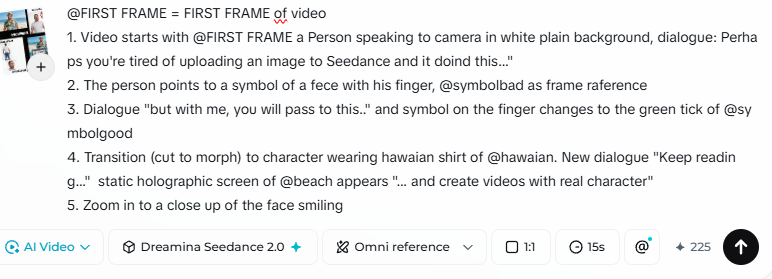
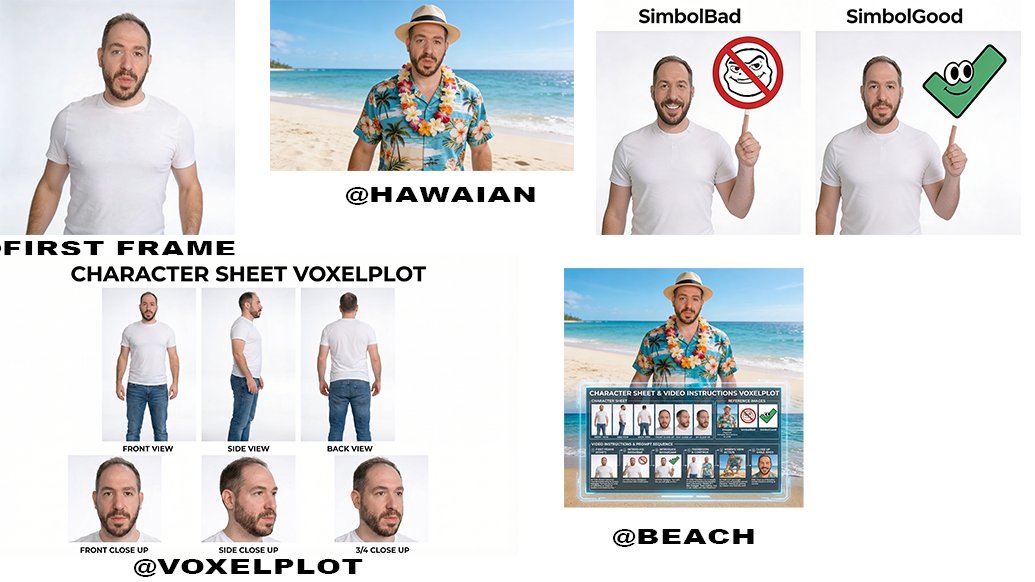
源提示词按原始换行与标点完整保留Character speaking to camera. Dialogue: "You did not believe me? I told you, (sighs) this image is the first frame. (pause) Take a look at the post, come on" Take the image pointed at in the collage as first frame, do not show marks or white background Upscale first frame to 4k before starting generation, preserve original character traits VOICE: LOW AND DEEP Prompt for the Beach Video: " " (Yeah, as info is in tan infogrpaphic there was no need for a text prompt) However, I tried another version with a Collage and references: Alternative Prompt: "FIRST FRAME" = FIRST FRAME of video 1. Video starts with FIRST FRAME a person speaking to camera in white plain background, dialogue: Perhaps you're tired of uploading an image to Seedance and it doind this..." 2. The person points to a symbol of a fece with his finger, "symbolbad" as frame raference 3. Dialogue "but with me, you will pass to this.." and symbol on the finger changes to the green tick of "symbolgood" 4. Transition (cut to morph) to character wearing hawaian shirt of "hawaian". New dialogue "Keep reading..." static holographic screen of "beach" appears "... and create videos with real character" 5. Zoom in to a close up of the face smiling
提示词译文
译文与源提示词分开显示,不替代原文角色对着镜头说话。对话:"你不相信我?我告诉过你,(叹气)这张图片就是第一帧。(停顿)去看看那个帖子,拜托" 以拼贴画中指着的图片作为第一帧,不要显示标记或白色背景 在开始生成之前将第一帧放大到4k,保留原始角色特征 声音:低沉 海滩视频的提示词:" " (是的,由于信息在棕褐色信息图中,不需要文字提示词) 不过,我用拼贴画和参考图试了另一个版本: 替代提示词: "FIRST FRAME" = 视频的第一帧 1. 视频以第一帧开始,一个人在白色纯色背景前对着镜头说话,对话:"也许你厌倦了上传图片到 Seedance 然后它做这种事……" 2. 这个人用手指指向一个哭泣的表情符号,"symbolbad" 作为帧参考 3. 对话 "但有了我,你就能变成这样……",手指上的符号变为 "symbolgood" 的绿色对勾 4. 转场(切换到变形)到穿着 "hawaian" 夏威夷衬衫的角色。新的对话 "继续阅读……","beach" 的静态全息屏幕出现 "……用真实角色创建视频" 5. 放大到脸部微笑的特写